Categories
The main tasks of categories in 4grosze are to reduce the number of envelopes needed and to speed up adding transactions. You can think of them as subcategories for envelopes, as they allow us to specify exactly what we spent money on.
For example, let's create a Car envelope. From this envelope we incur
expenses related to car maintenance, but even within this envelope, transactions can be very
different - Insurance, Inspection, Car Wash, Mechanic, Bulbs, Parts and Accessories.
It doesn't make much sense to have a separate envelope for car washes or bulb replacement, but the information about how much money we spent on just washing the car over the year can be quite interesting.
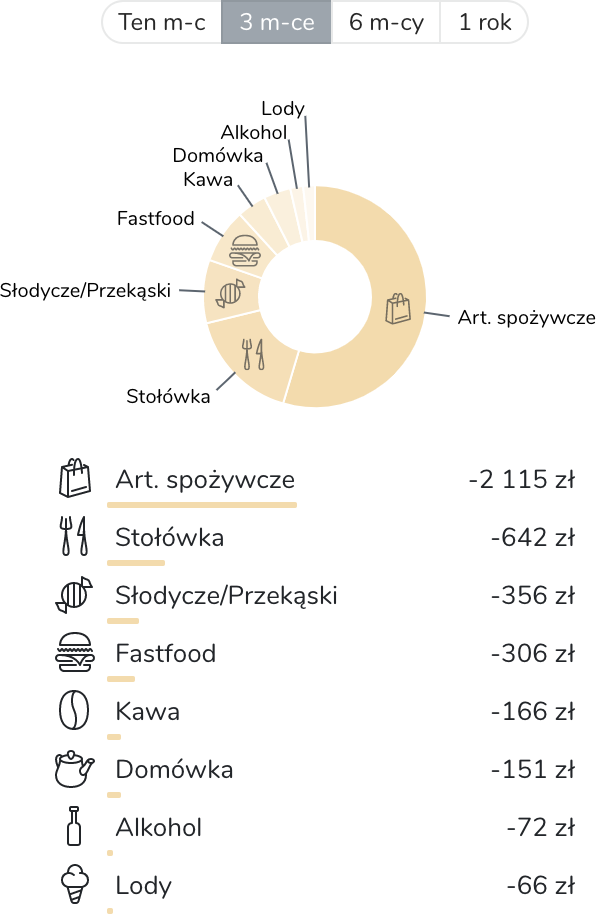
Now let's look at the Food envelope. It can include expenses such as:
Groceries, Dining Out, Food at Work, Fast Food, Coffee, Sweets, Alcohol.
Of course, you can create a dedicated envelope for coffee, but paying for a small black coffee from the Food envelope is also a good idea. You can always check in the summary how much you're spending on what and whether it might be worth reducing some of these expenses.
Categorizing Income
Categories are particularly useful when recording income. Typical categories in this case are:
Salary, Bonus, Side Job, Gift, Bank Interest, Found.
The Same Category Can Be Used in Different Envelopes
Categories are not assigned to just one envelope. There are situations where the same type of expense is sometimes recorded from one envelope and other times from a different envelope.
For example, an expense for Fuel will most often come from the Transport envelope. However, if you take a summer trip with your family by car to Croatia, the fuel in this case will come from the Vacation envelope.
Similarly, Hairdresser can relate to envelopes Personal - Sarah, Personal - Chris, and in some cases also Wedding.
Faster Transaction Description Entry
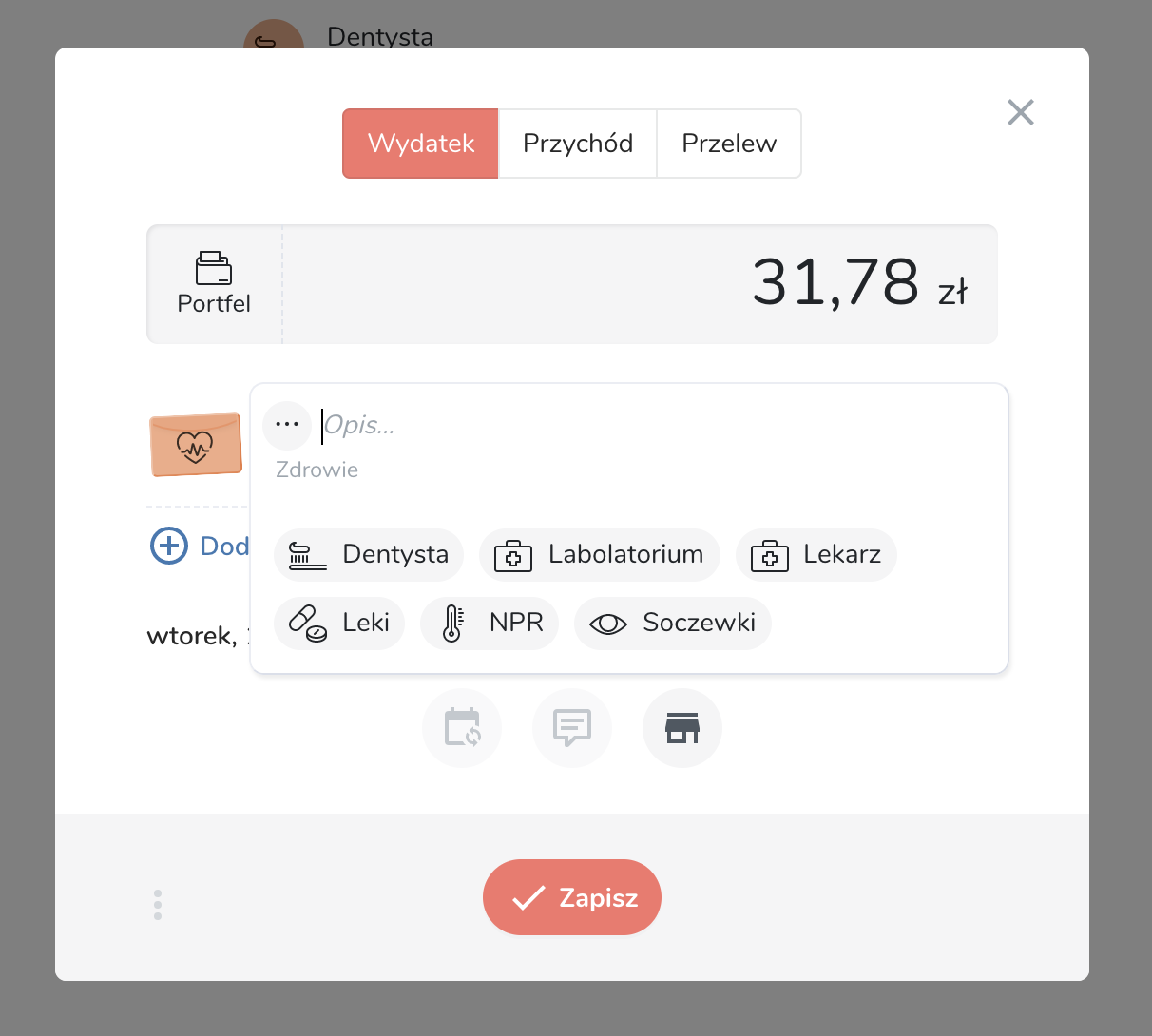
Categories, in addition to allowing us to specify our expenses more precisely, also speed up the process of adding them. When we select an envelope, 4grosze will suggest recently used categories from that envelope:
Categories Are Optional
You don't have to use categories. If categorization based on the envelope is enough for you, you can completely skip the separate category. Besides, they're not useful for all envelopes.
Similarly, you don't have to choose an icon for a category - the icon of the envelope related to the expense will be used instead.