Transactions
Recording Income
The simplest way to record income is to drag an account onto the To be allocated field (you can also do it the other way around). The entered amount can be immediately assigned to envelopes.
Recording Refunds
The application allows you to record various types of refunds in a way that doesn't negatively affect the expense and income summary for a given month, nor does it disturb envelope balances.
Imagine you're going on a trip with 4 people in a car. Since it's your car, at the gas station you buy Fuel for 200 EUR paying with a credit card, and you record the expense from the Transport envelope. However, you've agreed that each person chips in 50 EUR. Some people will pay back in cash, some will transfer to your account. How much did you actually pay for fuel? 50 EUR. Although 4 transactions will be visible in the program, all from the Transport envelope, in reality one is negative and the rest are positive, totaling an expense equal to 50 EUR.
For this purpose, the program has a special toggle to switch amounts from minus to plus and vice versa.
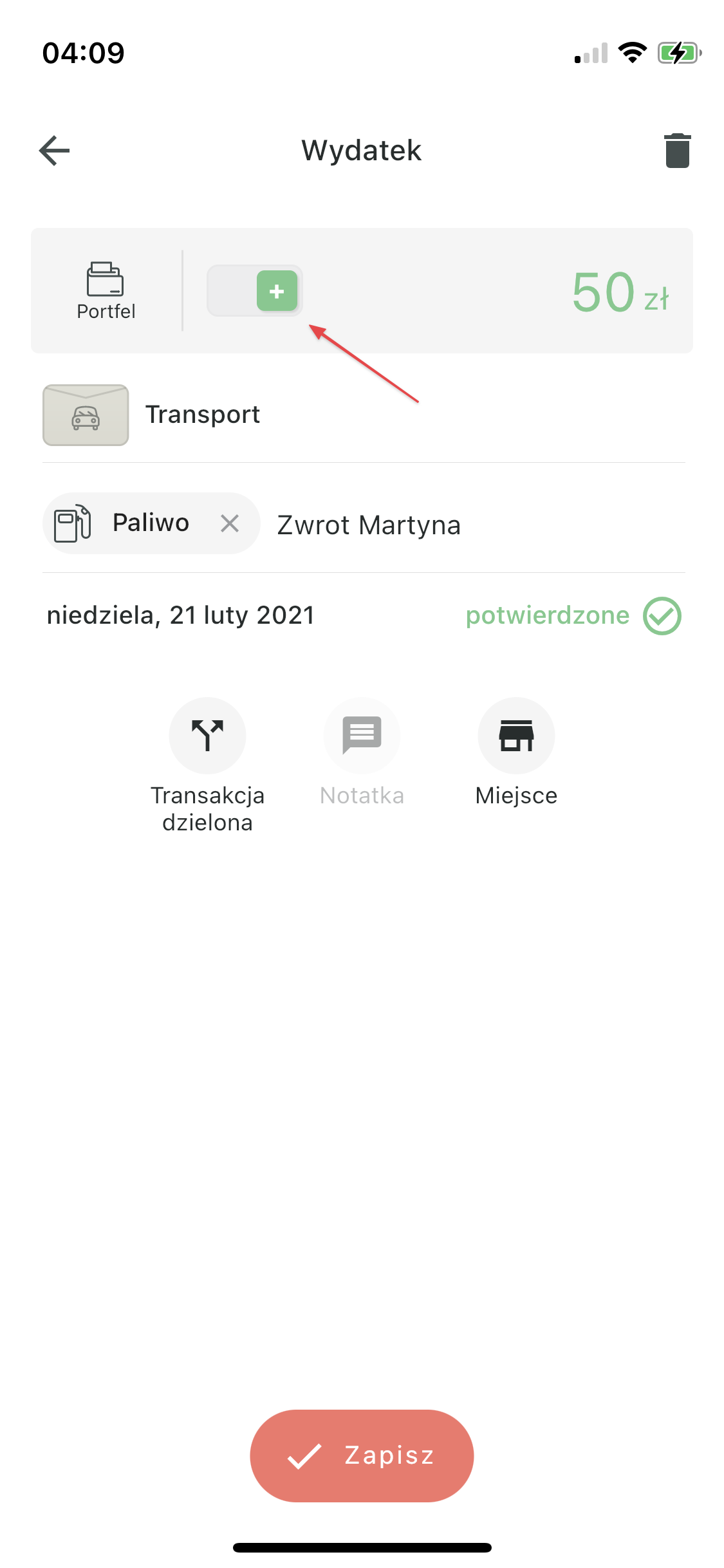
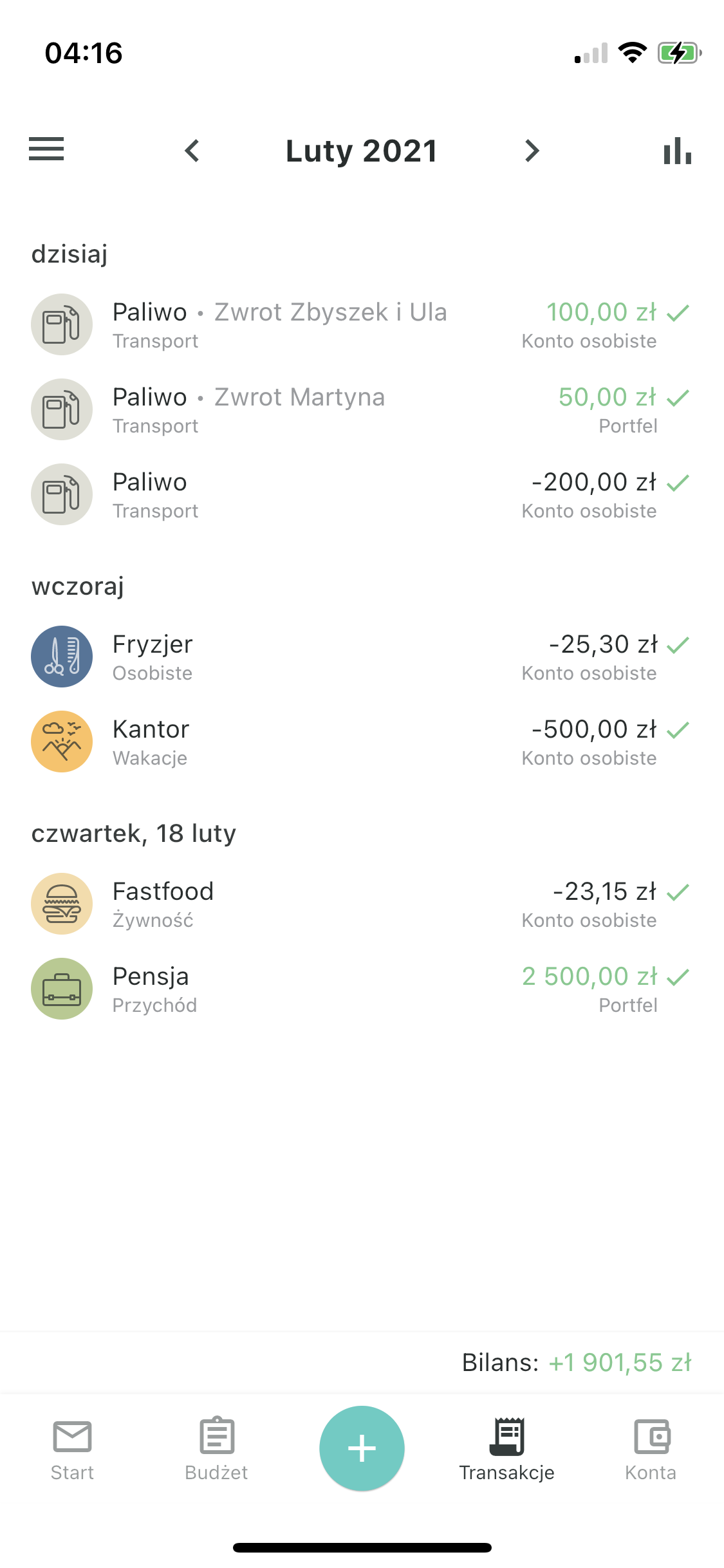
But why can't this be recorded as income? Well, theoretically it can, but in practice it will have certain consequences. If we record refunds as income, then from the Transport envelope we'll have an expense of 200 EUR (even though we actually spent 50 EUR), and our monthly income will increase by 150 EUR, even though it has nothing to do with income (well, unless we actually earn money by selling fuel). Additionally, we'll have that 150 EUR ready to assign. Of course, you can then put it back into the Transport envelope, but in reports you'll have a higher fuel expense than you actually incurred, and inflated income for that month.
What's worth noting is that income can also be recorded with a reversed sign. A good example is bank interest and capital gains tax. Both transactions occur together, so you can record both as income, but with the tax as a negative amount. This amount will never participate in the assignment process.